How often do you think about the images you use on your website landing pages? There’s a reasonable chance that you may be generating traffic to your landing pages from sources such as Google Image Search. But how do you ‘optimise’ images?
Although images may seem like a minor factor in your content, its always better than not to adhere to (SEO) best practice as part of maintaining good hygiene. Images can play a useful role in supporting content themes and topics using visual representations, but can also contribute to your overall organic traffic. If you use Google Search Console, you can easily filter your traffic sources (search type) for a view on what your image content contributes.
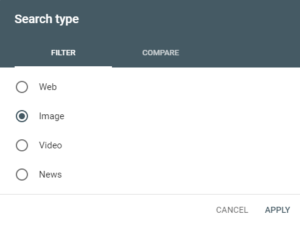
You can then look at the search queries used to generate that traffic, which pages on your website received that traffic, and on what device. Pretty useful stuff when looking at ways to improve your on page SEO, or considerations when updating page content.
Google’s John Mueller recently published a great video on SEO best practice and tips to optimise your image content.
Here’s a list of key takeaways (source: seroundtable.com)
- Provide context: Make sure the images are relevant to the page and that the titles, headings, content are relevant to the image as well.
- Optimize image placement: You should place images near relevant text and provide captions near the image. Also place your most important images at the top.
- Don’t embed text in the image, place that text on the page.
- Use alt-attributes on your images
- Use high quality images
- Make high quality sites 🙂
- Create mobile and desk friendly sites
- Use a good descriptive urls; Google uses both the URL path and image file name for understanding the image. Avoid changing the URL and if you do change it, 301 the old URL to the new one (Google is slow here).
- Provide relevant structured data to your page
- Use large image previews using max-image-preview-large
- Add image licensing markup
- Speed up your pages by optimizing image size, lazy loading techniques and more